Aptabase is an Open Source alternative to Google Firebase Analytics for Next.js Apps
Use the Next.js SDK for Aptabase to instrument your app. You're in total control of what events to track.
Here's an example 👇
trackEvent("settings_changed", {
theme: "dark"
}); Full install and setup steps in the quickstart below .
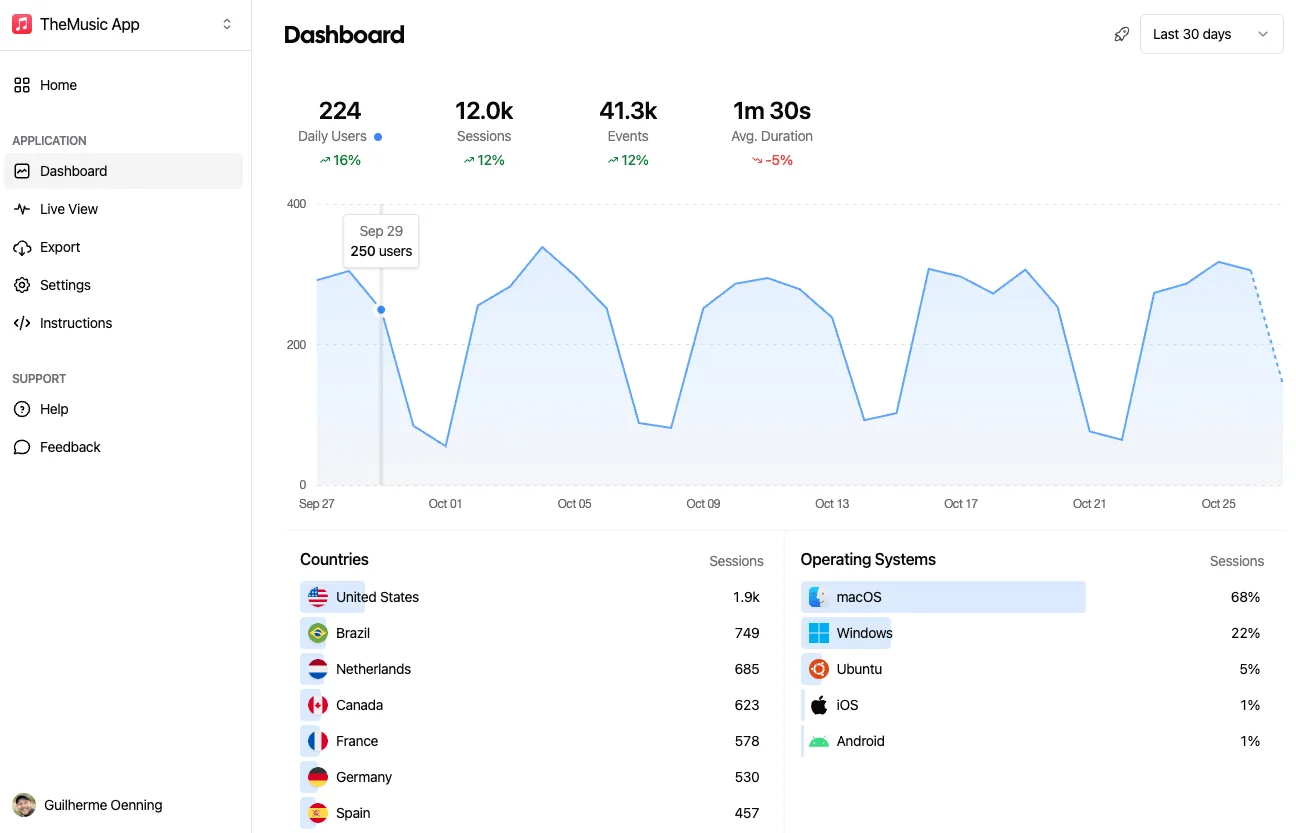
That's it! You'll now see the data on your dashboard as the events come through from your app.
Use Cases
You can't improve what you don't measure. Aptabase helps you get valuable insights from your Next.js Apps in a privacy-friendly manner.
Are you aware of the features in your app that users engage with most frequently? What configurations that majority of your users prefer? Gaining insights into these areas allows you to make well-informed decisions on future focus points for enhancing your Next.js app's user experience.
Understanding the geographical distribution of your user base can significantly inform the decision to localize your Web app, thereby enhancing its global accessibility and visibility on that market.
Aptabase efficiently gathers data such as the names of Browsers, alongside their respective versions. This valuable insight enables you to concentrate on crafting enhanced user experiences tailored to the most widely used browsers.
Quickstart
Install the React / Next.js SDK, initialize it with your App Key and track your first
event. Get the App Key from the dashboard's Instructions
menu — keys look like A-EU-*, A-US-*.
Package: @aptabase/react (~1 kB)
npm add @aptabase/react Wrap your root layout:
import { AptabaseProvider } from "@aptabase/react";
export default function RootLayout({ children }) {
return (
<html lang="en">
<body>
<AptabaseProvider appKey="<YOUR_APP_KEY>">{children}</AptabaseProvider>
</body>
</html>
);
} Wrap in _app:
import { AptabaseProvider } from "@aptabase/react";
export default function App({ Component, pageProps }) {
return (
<AptabaseProvider appKey="<YOUR_APP_KEY>">
<Component {...pageProps} />
</AptabaseProvider>
);
} Create a client component that calls trackEvent from a button handler. Track user actions from event handlers, never in the component body or useEffect: React re-renders components for many reasons, and each re-render would be counted as user activity.
"use client";
import { useAptabase } from "@aptabase/react";
export function TestEventButton() {
const { trackEvent } = useAptabase();
function handleClick() {
trackEvent("test_event", { source: "quickstart" });
}
return <button onClick={handleClick}>Send test event</button>;
} Render <TestEventButton /> anywhere inside <AptabaseProvider>, start the app locally (npm run dev) and click the button. Also works with Remix, CRA and Vite — wrap the root with <AptabaseProvider>.
Open your app in the Aptabase dashboard and select the Debug build mode with the Bug/Rocket icon at the top right, next to the date picker. Events sent from localhost or with NODE_ENV=development are recorded as Debug; production builds are recorded as Release. Then open Live View from the left menu: your test_event shows up within a few seconds. More on build modes: https://aptabase.com/docs/build-modes
Privacy front and center
In the realms of user tracking and privacy, Aptabase employs a unique strategy to secure the privacy of your users.
Free up to 20,000 events/month. Paid plans from $10/month for 200,000 events up to $450/month for 50,000,000 events. No overage fees.