
Aptabase is an Open Source alternative to Google Firebase Analytics for Unreal Games
Use the Unreal Plugin for Aptabase to instrument your app. You're in total control of what events to track.
Here's an example 👇
FAnalytics::Get().
GetDefaultConfiguredProvider()->
RecordEvent(TEXT("Game Started"), Attributes); Full install and setup steps in the quickstart below .
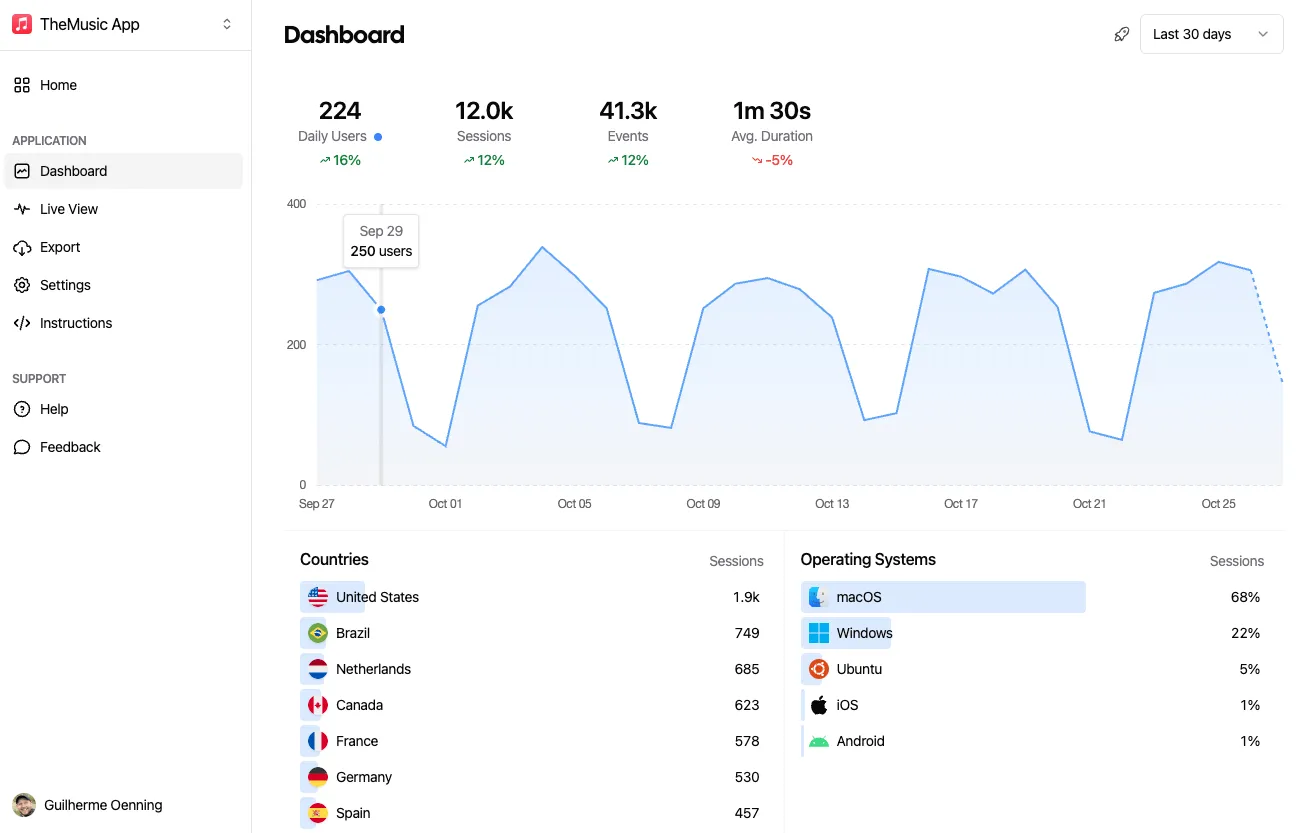
That's it! You'll now see the data on your dashboard as the events come through from your app.
Use Cases
You can't improve what you don't measure. Aptabase helps you get valuable insights from your Unreal Games in a privacy-friendly manner.
Are you aware of what users spend most of their time on your game? What configurations that majority of your users prefer? Gaining insights into these areas allows you to make well-informed decisions on future focus points for enhancing your Unreal games user experience.
Understanding the geographical distribution of your user base can significantly inform the decision to localize your Unreal games, thereby enhancing its global accessibility and visibility on that market.
Aptabase efficiently gathers data such as the names of operating systems such as Windows, PlayStation, Xbox, etc., and their respective versions. This valuable insight enables you to concentrate on crafting enhanced user experiences tailored to the most widely used OS and versions.
Quickstart
Install the Unreal Engine SDK, initialize it with your App Key and track your first
event. Get the App Key from the dashboard's Instructions
menu — keys look like A-EU-*, A-US-*.
Package: Plugin (C++ project)
Clone https://github.com/aptabase/aptabase-unreal into your project's Plugins/ folder
Enable the plugin (Toolbar > Edit > Plugins > search "Aptabase" > Enable), then add to Config/DefaultEngine.ini:
[Analytics]
ProviderModuleName=Aptabase Finally, set your App Key in Project Settings > Analytics > Aptabase.
TArray<FAnalyticsEventAttribute> Attributes;
Attributes.Emplace(TEXT("name"), TEXT("Settings"));
FAnalytics::Get().GetDefaultConfiguredProvider()->RecordEvent(TEXT("screen_view"), Attributes); Use the "Record Event with Attributes" node. The Blueprint Analytics Plugin is recommended for provider-agnostic tracking.
Privacy front and center
In the realms of user tracking and privacy, Aptabase employs a unique strategy to secure the privacy of your users.
Free up to 20,000 events/month. Paid plans from $10/month for 200,000 events up to $450/month for 50,000,000 events. No overage fees.